
Documentation Index
Fetch the complete documentation index at: https://docs.agentscope.io/llms.txt
Use this file to discover all available pages before exploring further.
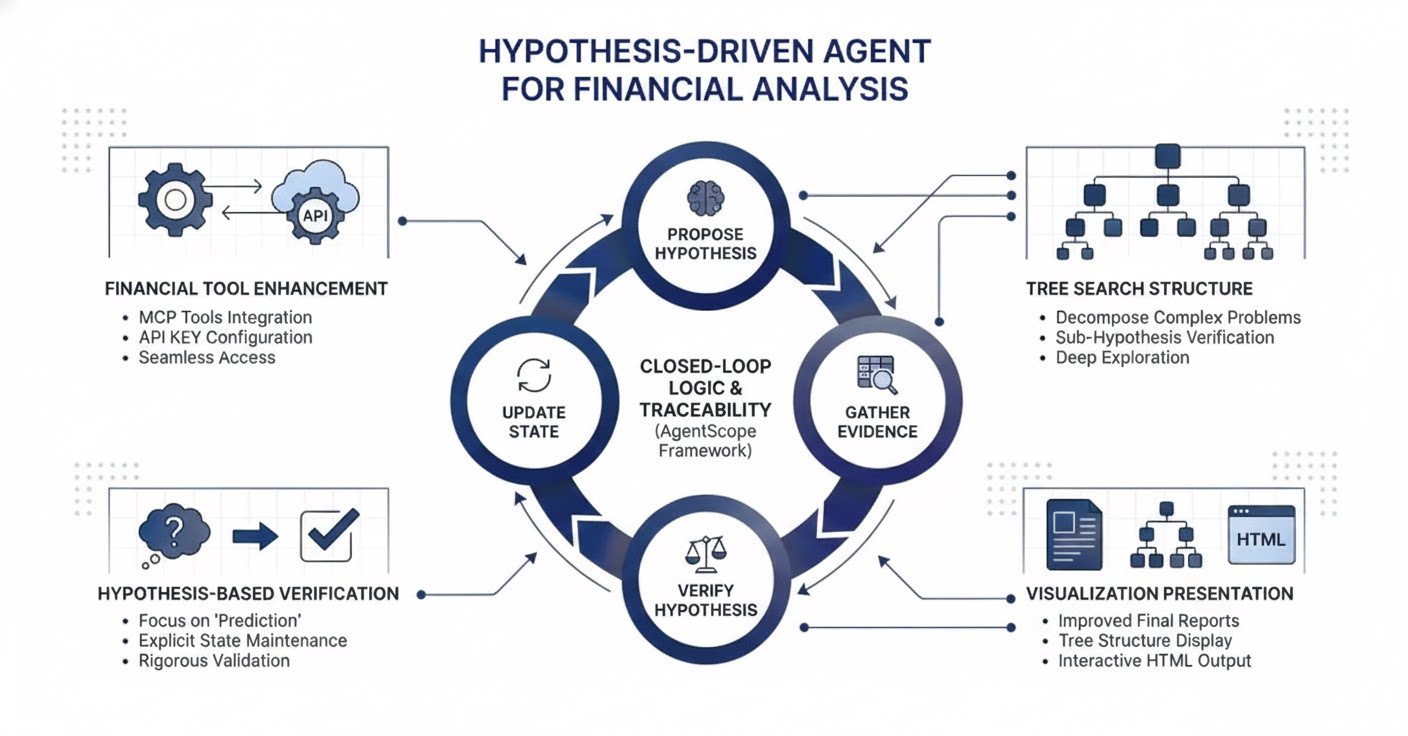
Key Features
Hypothesis-Driven Reasoning
In high-stakes financial scenarios, simple task execution is insufficient. Alias-Finance Analysis introduces a state-aware reasoning mechanism designed for prediction and verification.- Dynamic State Maintenance: Instead of a linear to-do list, the agent maintains a “Hypothesis Task.”
- The Loop: It actively proposes a market assumption, gathers specific data to test it, verifies the validity, and updates its belief state accordingly.
Tree-Structured Deep Search
Financial problems are rarely one-dimensional. To handle complexity, Alias-Finance Analysis utilizes a Tree Search strategy similar to deep research algorithms but adapted for financial logic.- Decomposition: A complex query (e.g., “Is Company X a buy?”) is broken down into a tree of sub-hypotheses (e.g., “Revenue Growth,” “Market Risk,” “Competitive Moat”).
- Tree Exploration: The agent systematically explores these branches to ensure no critical factor is overlooked before aggregating the results into a final conclusion.
Enhanced Financial Tool Integration
Alias-Finance Analysis is ready to deploy with professional-grade data capabilities.- MCP Integration: Tavily Search is used as the general-purpose tool. In addition, Financial Model Context Protocol (MCP) tools are integrated (available via Bailian/Alibaba Cloud).
| Tool Name | Description |
|---|---|
| Stock/Market Data API (tdx-mcp) | Provides real-time quotes, historical prices, technical indicators, and fundamentals. |
| Investment Research & Advisory API (Qieman-mcp) | Provides research content, investment analysis, and advisory tools. |
Visualization & Reporting
Transform complex financial analysis into clear, traceable, and presentation-ready outputs.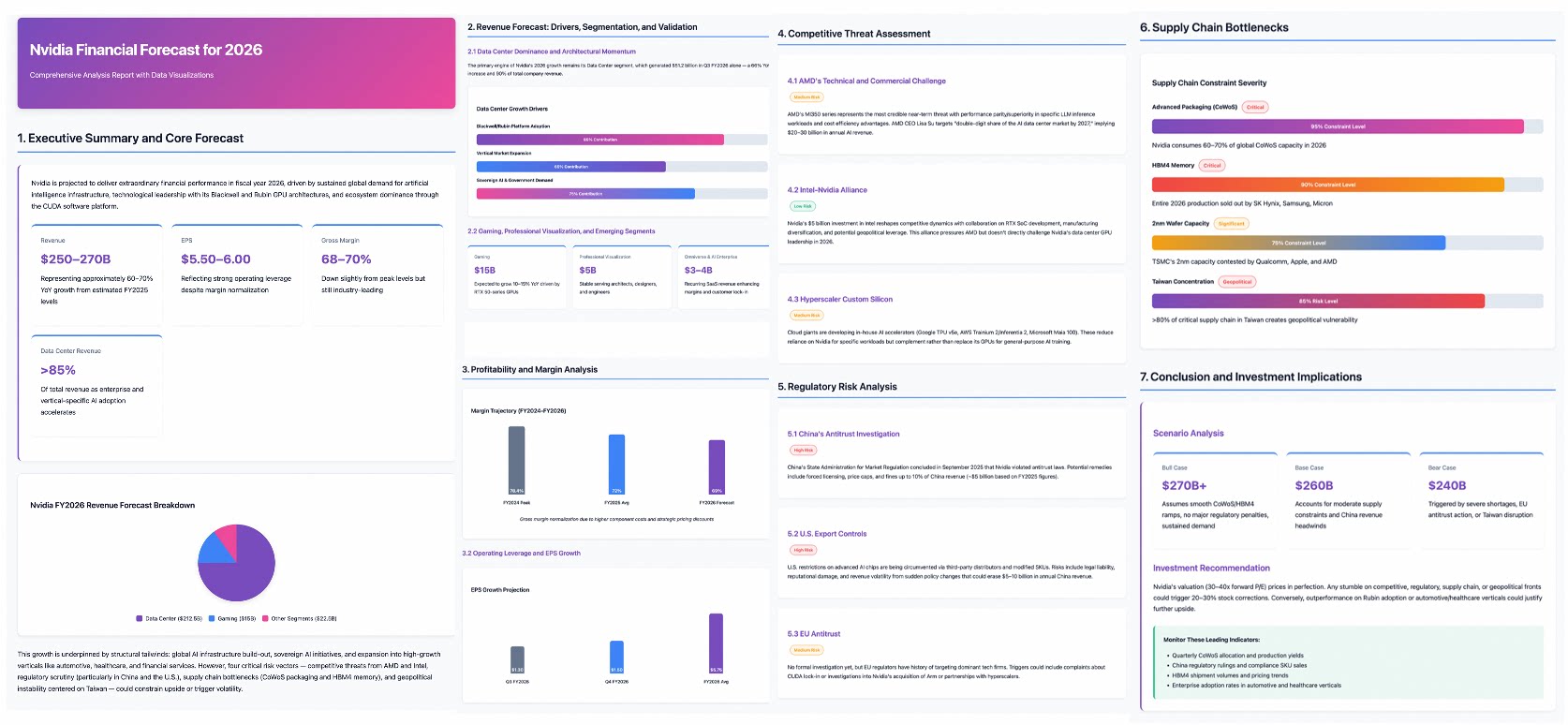
| Output Element | Description | Purpose |
|---|---|---|
| Final Research Report | Narrative Text & Insights | The complete written analysis, conclusions, statistical evidence, and recommendations. |
| Process Visualization | Traceable Tree Search Map | An interactive graphical view showing the full execution path: which hypotheses were tested, which evidence was collected, and the specific decision points (Verified/Abandoned). |
| Presentation-Friendly HTML Report | Executive Summary & Visuals | A condensed, visually rich format optimized for review, featuring key charts and summary bullets. |
Workflow
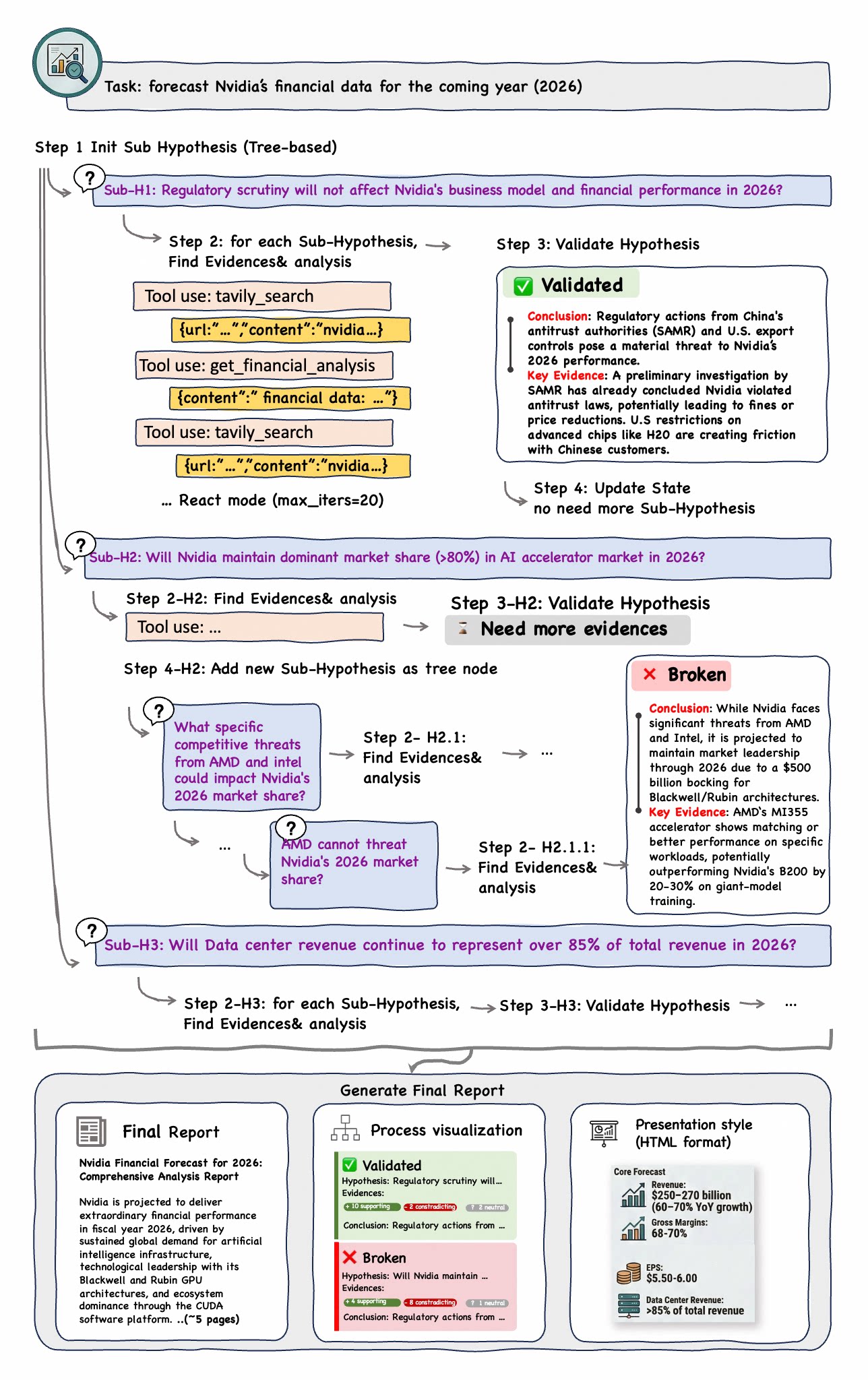
Gather Evidence
Collect targeted data from financial APIs, research reports, and market feeds to test each hypothesis.
Verify Hypothesis
Evaluate gathered evidence against the hypothesis, marking it as verified, refuted, or requiring further investigation.
Update State
Update the dynamic belief state and decompose into sub-hypotheses as needed for complex multi-dimensional analysis.