
Quickstart
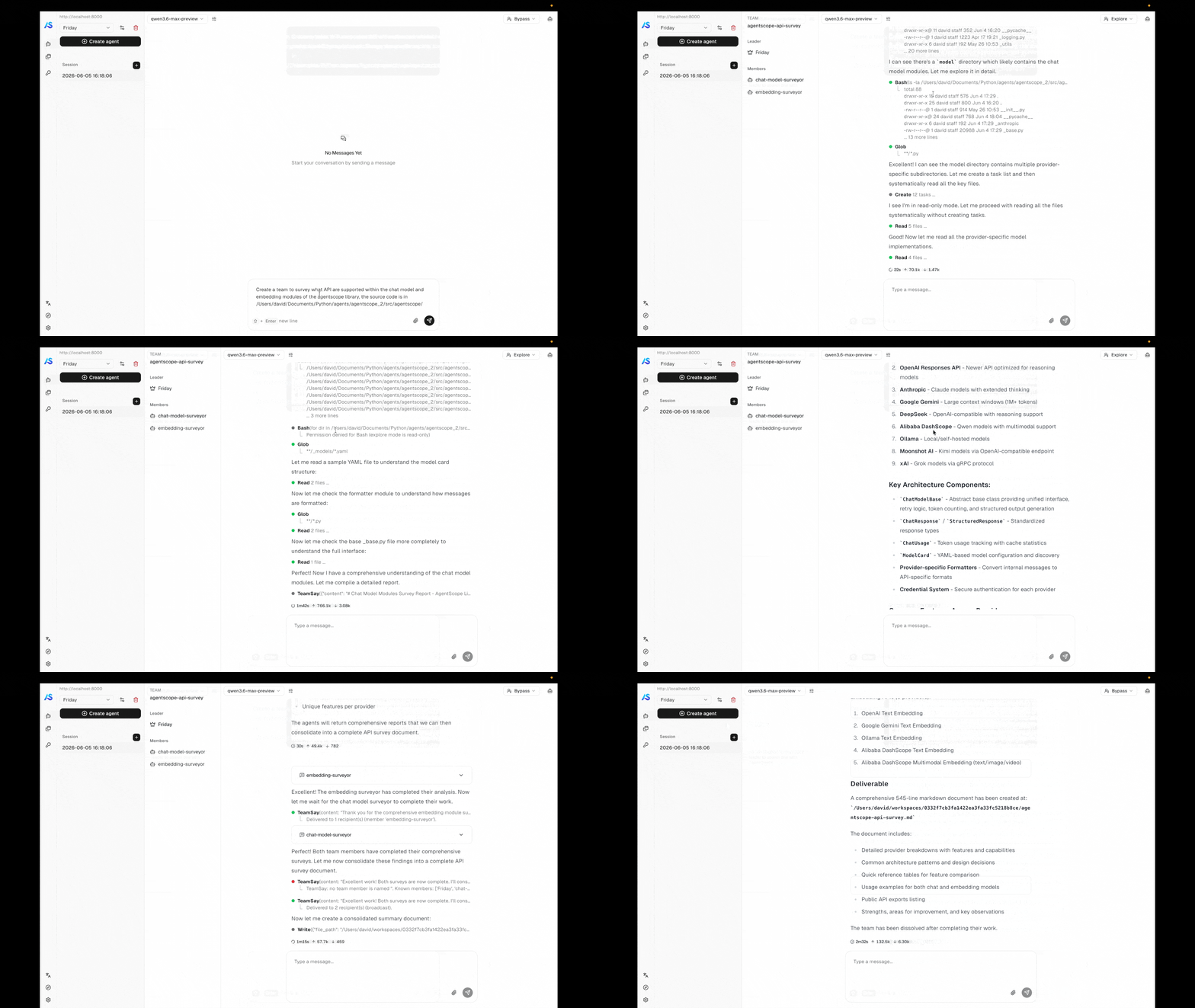
The bundledexamples/agent_service backend ships with the team tools enabled, and the matching examples/web_ui frontend renders team membership and per-worker streams out of the box. Follow the Agent Service quickstart to boot both — once they are running, ask the leader agent to assemble a team and you will see it call TeamCreate / AgentCreate automatically, watch workers come online, and observe them exchange messages in the UI.
Concepts
| Concept | Description |
|---|---|
| Team | A persistent group of agent members owned by one user. A TeamRecord carries the team’s identity (name, description) and its member list. |
| Leader | The session that created the team. Only the leader can add or remove members or end the team. |
| Worker | A session spawned as a team member. Workers run their own ReAct loop in their own session and inherit the leader’s chat model + workspace context. |
| Team message | A message routed between members through the message bus. Delivered as a HintBlock wrapped in a <team-message from="…"> tag so the recipient’s LLM can disambiguate it from a regular user turn. |
Built-in tools
A leader session is automatically given these tools. Workers see onlyTeamSay.
| Tool | Purpose |
|---|---|
TeamCreate | Create a new team rooted at the current session and become its leader. |
AgentCreate | Spawn a new worker into the team with a name, role description, first task, and permission mode. The worker begins executing as soon as it is created. |
TeamSay | Send a message to a named member (or broadcast). The recipient’s session receives the message through its inbox and resumes on the next wakeup. |
TeamDelete | Dissolve the team and clean up every member session. Only the leader can call this. |
Coordination model
Agent Team is designed for distributed deployments by default. All inter-member communication is mediated by the message bus — a Redis-backed abstraction — so leader and worker sessions can live in different processes or different nodes without any code change. The sender writes to the recipient’s inbox; any wakeup dispatcher in the cluster can then claim the wakeup signal and drive that session on its own process. This is the same mechanism that powers scheduled fires and background-tool completions, which is why the team feature scales out the same way the rest of the service does. Team communication reuses the same inbox + wakeup primitives the service uses for scheduled fires and background-tool completions:- The sender’s tool call (
TeamSay,AgentCreate’s initial prompt, …) pushes aHintBlockonto the recipient session’s inbox via the message bus. - A wakeup is enqueued for the recipient.
- The wakeup dispatcher running on any process picks up the wakeup and drives
ChatService.runfor that session. InboxMiddlewaredrains the inbox before the next reasoning step, so the queued team messages land in the recipient’s context asHintBlockEvents.
TeamSay back to it.
See also
Agent Service
The hosting layer that powers teams — sessions, message bus, workspace lifecycle.
Agent
The agent abstraction each team member runs.