Let users install skills published by others and equip their agents with them.
A skill hub is a catalog of skills your users browse and install from inside the app. A skill is a folder, a SKILL.md telling the agent how to do something plus any scripts it needs, so a hub is how users get one without cloning a repository or knowing where the files belong.Installing does not equip an agent. It adds the skill to the user’s own pool of installed skills, and equipping an agent is a separate step:
1
Install into the pool
The user reads a skill’s SKILL.md on its card and installs it, with nothing to fill in. Every hub feeds the same pool, so what came from which registry stops mattering once it is installed.
2
Equip an agent's workspace
In a chat, the user picks from the pool to unpack the skill into that agent’s workspace. The agent can follow it from that point on.
The pool belongs to the user rather than to any chat, so one install is equipped in as many workspaces as they like. A local folder can also be uploaded straight into a workspace, whether or not it came from a hub.
A public registry of community-published skills. Works anonymously; a token raises the rate limit.
Coming soon
—
More registries are being built.
ClawSkillHub works with no arguments, and every field below has a default:
Configure ClawSkillHub
from agentscope.app.hub import ClawSkillHubhub = ClawSkillHub( # Addresses this hub in the API and the frontend URL. Keep it stable. hub_id="clawhub", # Shown in the frontend's hub switcher. display_name="ClawHub", # Optional token. Anonymous requests work, but are rate-limited. api_token=None,)
Parameter
Default
Description
hub_id
"clawhub"
The identifier addressing this hub in routes and URLs
display_name
"ClawHub"
The name shown in the hub switcher
description
ClawHub’s blurb
The one-line description under the name
icon_url
ClawHub’s favicon
The icon shown beside the name
base_url
"https://clawhub.ai"
The registry endpoint
api_token
None
A ClawHub token, affecting rate limits only
timeout
30.0
Per-request timeout in seconds
max_retries
3
Retries before giving up on a rate-limited request
Register several to give users a choice of catalogs, each with its own hub_id.
Registering two skill hubs under the same hub_id fails at startup rather than silently shadowing one.
3
Browse and install
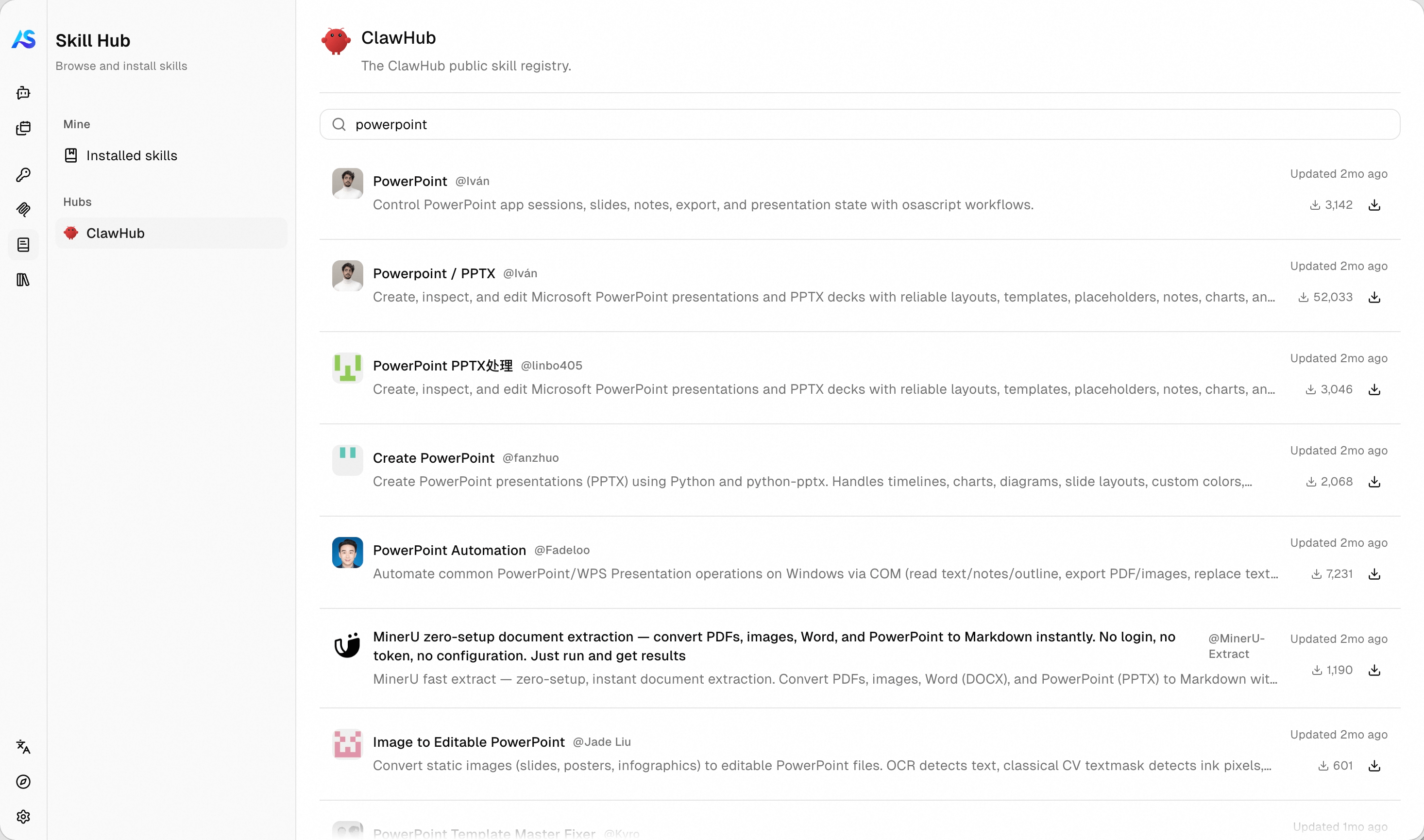
Restart the service and open the Skill page. The sidebar lists your registered hubs plus Mine, the user’s own collection. Pick a hub, search, and open a card to read its SKILL.md before deciding.
Browsing a skill registry from the Skill page.
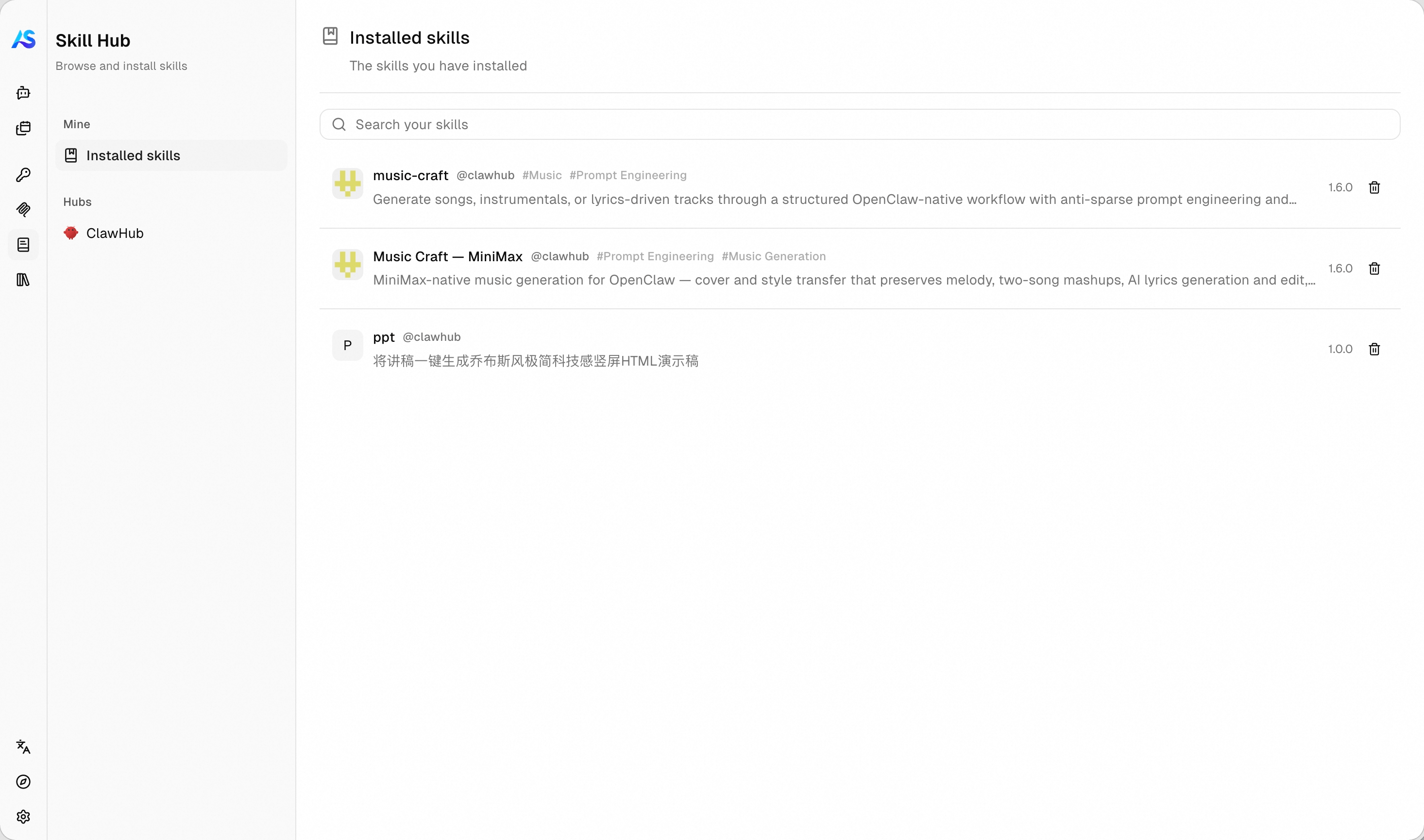
Install adds it to the user’s collection right away, with nothing to fill in. Everything installed shows up under Installed skills:
The skills a user has installed.
4
Equip an agent
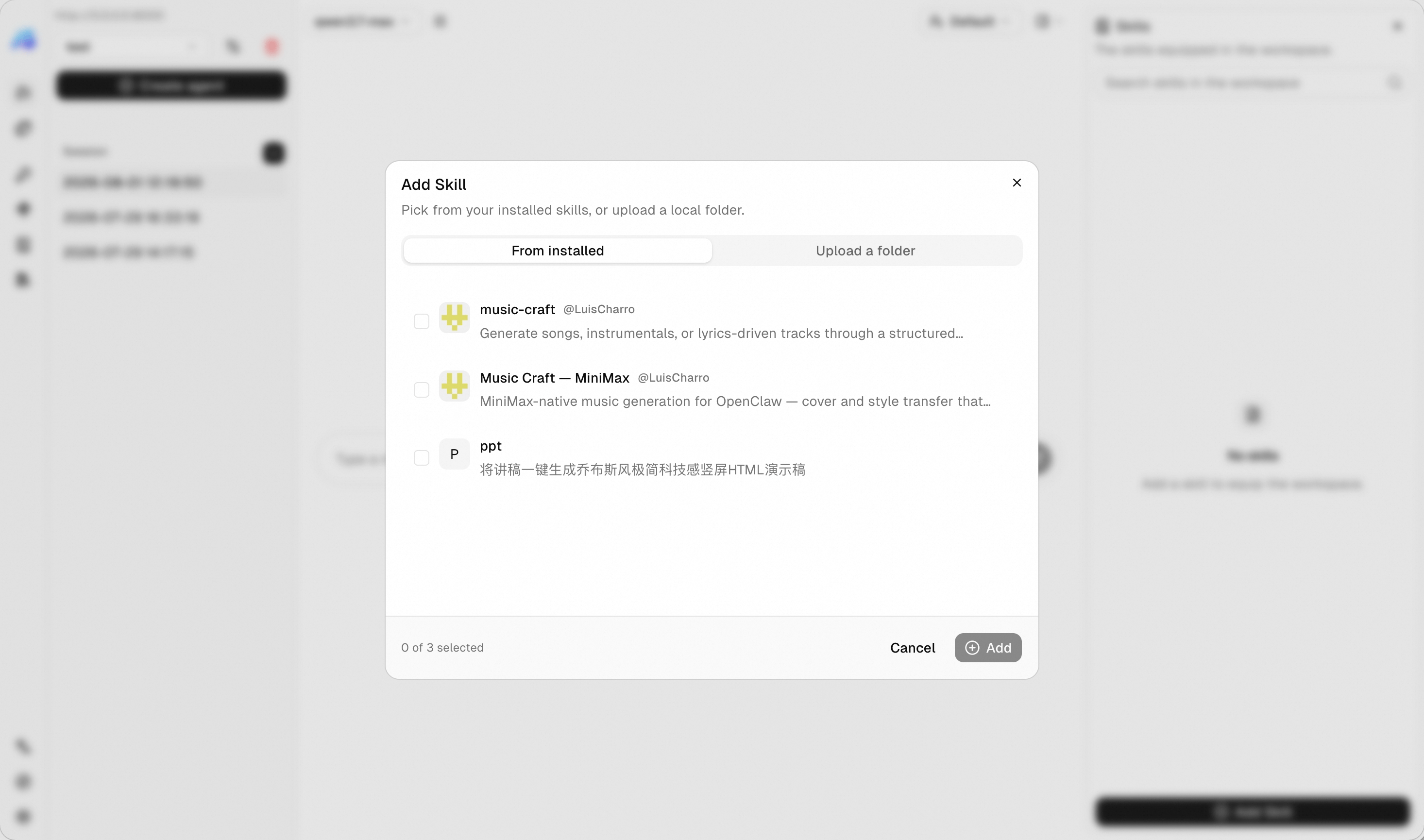
Open a chat, expand the Skill panel, and choose Add. Two tabs cover both sources:
Tab
Description
From installed
Pick from the collection. The files are fetched and unpacked into the agent’s workspace
Upload a folder
Pick a folder from disk, containing a SKILL.md at its root. A progress bar tracks the upload
Equipping an agent with a skill, from the collection or a local folder.
Uploads are bounded so one user cannot fill a workspace: at most 100 files, 50 MB per file, and 500 MB in total. A folder whose name is taken installs under a numbered suffix instead of overwriting.
Equipping an installed skill fetches its files from the hub at that moment, because an install keeps the skill’s description rather than a copy of its files. If the hub is unreachable, that skill is reported as failed with the reason, and the others in the same request are still equipped.
Any catalog of skill folders becomes a hub by subclassing SkillHubBase. Three methods are required, one to browse, one to fetch a single listing, and one to serve its archive:
A hub over an internal catalog
from agentscope.app.hub import ( SkillArchive, SkillCard, SkillHubBase, SkillHubPage,)class InternalSkillHub(SkillHubBase): """The skills our platform team publishes internally.""" def __init__(self) -> None: super().__init__( hub_id="internal", display_name="Internal Skills", description="Skills published by the platform team.", ) async def list_skills( self, user_id: str, # The keyword the user typed, or `None` to browse everything. q: str | None = None, # The opaque cursor from the previous page, or `None` to start. cursor: str | None = None, limit: int = 20, ) -> SkillHubPage: """Return one page of listings, without their `SKILL.md` bodies.""" page = await fetch_our_catalog(query=q, after=cursor, limit=limit) return SkillHubPage( cards=[self._to_card(c) for c in page.items], # `None` tells the frontend there is nothing more to load. next_cursor=page.next_cursor, ) async def get_skill(self, user_id: str, card_id: str) -> SkillCard: """Return one listing, this time with its `SKILL.md` body.""" detail = await fetch_one(card_id) return self._to_card(detail, markdown=detail.readme) async def download( self, user_id: str, card_id: str, version: str | None = None, ) -> SkillArchive: """Open the skill's archive for streaming.""" response = await self._client.get(f"/skills/{card_id}/archive") # One of "zip", "tar", or "tar.gz". return SkillArchive(format="tar.gz", stream=response.aiter_bytes())
Three more things shape how a hub behaves:
Point
Description
Cheap listing
Leave SKILL.md out of list_skills. Fetching a body per card multiplies one request by the page size and exhausts most registries on the first screen. Load it in get_skill
Cursor pagination
Return whatever opaque string lets you resume, and None when the catalog is exhausted
Missing cards
Raise KeyError from get_skill for an unknown id, and the service answers 404
The archive should hold the skill’s folder with a SKILL.md at its root, either as a single top-level directory or as the files directly. Both layouts work, and the folder is renamed to the installed skill’s name.
All three methods receive user_id as their first argument, so a catalog does not have to look the same to everybody. Filter on it to run a per-team allowlist, gate paid listings on entitlements from your billing system, or keep a draft skill visible only to its authors:
A catalog that differs per user
class InternalSkillHub(SkillHubBase):
    async def list_skills(
        self,
        user_id: str,
        q: str | None = None,
        cursor: str | None = None,
        limit: int = 20,
    ) -> SkillHubPage:
        """Return only the listings this user is allowed to see."""
        # Whatever your own system says this user may install.
        allowed = await our_entitlements(user_id)
        page = await fetch_our_catalog(query=q, after=cursor, limit=limit)
        return SkillHubPage(
            cards=[
                self._to_card(c) for c in page.items if c.id in allowed
            ],
            next_cursor=page.next_cursor,
        )

    async def get_skill(self, user_id: str, card_id: str) -> SkillCard:
        """Refuse a hidden card, so guessing an id gains nothing."""
        if card_id not in await our_entitlements(user_id):
            raise KeyError(card_id)
        detail = await fetch_one(card_id)
        return self._to_card(detail, markdown=detail.readme)

    async def download(
        self,
        user_id: str,
        card_id: str,
        version: str | None = None,
    ) -> SkillArchive:
        """Refuse the archive of a hidden card as well."""
        if card_id not in await our_entitlements(user_id):
            raise KeyError(card_id)
        response = await self._client.get(f"/skills/{card_id}/archive")
        return SkillArchive(format="tar.gz", stream=response.aiter_bytes())
download takes user_id for exactly this reason, so apply the same filter there too. Hiding a card from the listing alone is not access control: both get_skill and download are reachable with any id the caller cares to guess.
A hub lives for the whole lifetime of the service, so it can hold a connection pool instead of opening one per request. Implement the async context manager methods and the service enters every hub on startup, closing them on shutdown: